Safe Lagoon Parental Control
- 3.3
- Rating
- 500.00K
- Installs
- Free
- Price

 Analysis by App-foxy
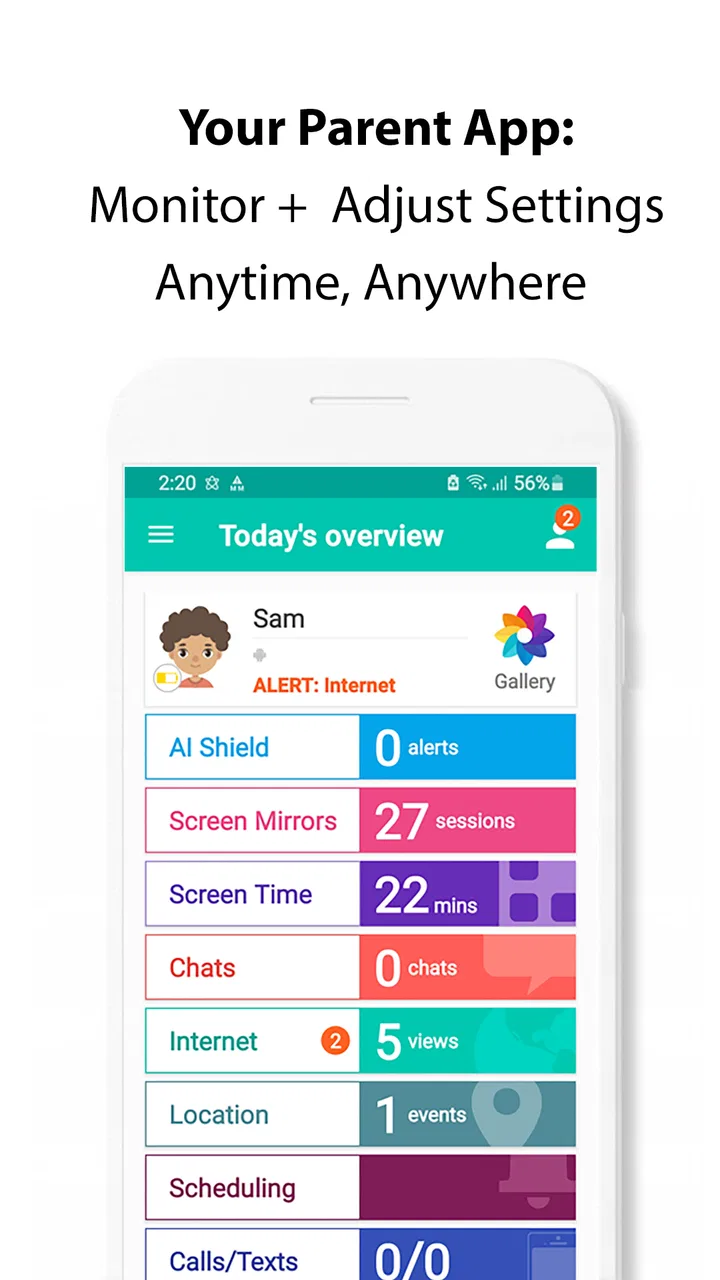
Parents usually open a monitoring app with one simple goal: understand what is happening in a child’s online life without turning every conversation into an argument. Safe Lagoon Parental Control is built for that space. It is a free parenting app from Safe Lagoon that focuses on staying aware of a child’s online activity and friends, rather than trying to be a complete replacement for every safety setting already included in a phone.
I found its appeal easiest to understand when looking at ordinary family routines. A parent may want a calmer way to check whether a child is connecting with unfamiliar people, spending time in online spaces that need discussion, or simply following the household’s agreed rules. The app can provide a central place for that awareness, but it works best when it is introduced as part of a family safety plan instead of as a secret surveillance tool.
It belongs to the parenting category, carries an Everyone content rating, and is available at no cost. Safe Lagoon has been available since June 22, 2017, and the app has grown to over 500 thousand installs. Its average rating is around 3.3, based on roughly 5.9 thousand ratings and about 1.4 thousand written reviews. Those figures suggest a useful but uneven experience: plenty of families find value in it, while others run into setup, device, or expectation problems.
You May Also Like

 Blood Strike: 2.5 Anniversary
Blood Strike’s Loadouts Turn Every Drop Into a Tactical Gamble
A close look at Blood Strike’s custom loadouts: how fast access to signature weapons reshapes its battle royale rhythm, rewards preparation, and narrows the gap between fights.

 Pandora - Music & Podcasts
Pandora’s Music Is Easy to Start, but Harder to Recover
Pandora’s strength is its low-effort path from a seed to a station. Its weak spot is how much confidence it asks you to place in connection, setup, and quiet recovery.

 8 Ball Pool
 Is Built on Rivalries, Rematches, and Routine
A close look at the rivalries, rematches, shared routines, and unanswered safety questions that turn a quick pool match into a persistent mobile community.

 Samsung Music
’s Quiet Strength Is Playing What You Already Own
Its reach comes less from spectacle than from dependable access to a personal library. That simplicity is both the app’s strongest retention engine and its ceiling.

 AccuWeather: Weather Radar
AccuWeather Review: A Quick, Clear Forecast for Everyday Decisions
For everyday plans, the best forecast is the one you can understand quickly. AccuWeather makes rain timing, radar, and local conditions easy to act on, with a few trade-offs.

 Hill Climb Racing
Why Hill Climb Racing Still Turns Crashes Into One More Run
A tiny car, a bumpy hill and one more upgrade: Hill Climb Racing keeps resurfacing because its simple chaos makes every near-miss feel personal.
More From Our News Desk



Where the experience commonly gets stuck
The first difficulty is usually not the idea of parental control; it is the relationship between the parent’s device, the child’s device, and the accounts used during setup. A monitoring tool cannot show useful information unless the family completes the connection correctly. If the wrong account is selected, a child’s device is linked to the wrong parent profile, or the process is interrupted halfway through, the app may appear empty or incomplete even though the phone itself is working normally.
That is why I would not judge the app after opening it for the first time. The opening screen is only the beginning. I would first decide which adult account should manage the family setup, then keep the child’s phone available while following the process from start to finish. Switching between several family members during installation makes mistakes more likely, particularly when more than one parent uses the same device.
Another common sticking point is expecting the app to behave like a live window into everything a child does. That expectation can create frustration. Online activity may depend on the child’s device being connected, the relevant service being compatible with the monitoring workflow, and the account relationship being intact. A delay or missing item does not automatically mean that the app has failed or that a child has hidden something.
I also think the app needs a clear family agreement before it is installed. Children are more likely to cooperate when they know what parents will check, why they will check it, and what happens when something worrying appears. Without that conversation, even a technically successful setup can produce resistance, disabled access, or a cycle of repeated arguments that no parental-control app can solve.
Checks worth making before setup
Before starting, I would update the parent’s phone and the child’s phone as far as the devices reasonably allow, close unrelated apps, and make sure both devices have a stable internet connection. Safe Lagoon supports Android 7.0 and later, so an older phone should be checked before anyone spends time trying to complete the installation. A device that is technically supported but nearly full, unstable, or heavily restricted may still make the process unreliable.
Use one deliberate setup session rather than beginning in a hurry. Have the correct account details ready, identify which phone belongs to which family member, and read each screen instead of tapping through automatically. This sounds basic, but it is one of the most useful practical steps because parental-control tools are especially sensitive to account mix-ups.
After the connection is complete, I would test the arrangement with a harmless, agreed activity. For example, the child can use the phone normally for a short period while the parent checks whether the expected information becomes visible. This test is more useful than assuming success from a confirmation screen. It also gives the family a chance to discover a problem before relying on the app during a genuinely concerning situation.
It is worth checking the app version as well. The current version is 5.0.1111.sl.p, and keeping the app current can prevent avoidable differences between instructions and what appears on screen. I would update both sides when possible rather than updating only the parent’s phone and assuming the child’s side will behave identically.
Privacy and trust should be part of setup, not an afterthought. I would explain the boundaries in plain language: what the parent intends to review, how often, and which situations justify intervention. For a younger child, a parent may need closer involvement. For an older teenager, a narrower agreement may be more realistic. The software can support that arrangement, but it cannot choose the right level of supervision for a particular family.
Recovering a workflow after something goes wrong
When the app seems not to update, I would troubleshoot in a fixed order instead of repeatedly reinstalling it. First, check that both devices are online. Next, confirm that the child is still connected to the intended family setup and that the parent is using the correct account. Then close and reopen the app on the device showing the problem, and check whether the app offers any account or connection prompt that needs attention.
If the information is still missing, compare the timing of the activity with the time the app was last opened. A parent may be looking for something that happened after a temporary connection interruption, while the app is still displaying an earlier state. Waiting briefly and checking again is more sensible than treating one missing item as proof that monitoring has been bypassed.
Reinstallation should be a later step, not the first response. Removing an app can interrupt the relationship between devices and may require the setup to be completed again. I would only take that route after recording which account was used and noting the family arrangement, so the recovery does not become a second source of confusion.
A good recovery habit is to change one thing at a time. If you update the app, change account settings, reinstall, and switch networks all at once, you will not know which action helped. Make a single adjustment, test with an agreed activity, and then continue. This feels slower, but it is much faster than repeating an entire setup without understanding the failure.
Parents should also avoid using a troubleshooting session as an interrogation. If a child sees repeated attempts to access the phone while the parent is trying to repair the connection, the technical problem can quickly become a trust problem. Explain that the goal is to restore the agreed safety arrangement, not to search for a reason to punish anyone.
When the app is not the cause
Some problems that look like app failures are actually caused by the phone, the network, or the online service being checked. A weak connection can delay information. Battery-saving behavior, a phone that has been switched off, or a child using a different device can also make the parent’s view appear incomplete. In those cases, repeatedly tapping refresh will not fix the underlying issue.
The same applies when a parent expects Safe Lagoon to replace the phone’s own family settings. Built-in controls may be better for basic screen-time limits, application approvals, or restrictions managed directly by the operating system. A network-level safety service may be more suitable for a household that wants protection across several devices. Safe Lagoon makes more sense when the priority is awareness of online activity and friends within a parent-and-child monitoring arrangement.
I would also be careful about interpreting incomplete information. An unfamiliar contact may be harmless, while a familiar contact may still be part of an unsafe situation. The app can help a parent notice something worth discussing, but it cannot understand tone, context, coercion, or the difference between an ordinary disagreement and genuine danger. Human judgment remains essential.
Families should skip this app if they want completely invisible monitoring, guaranteed coverage of every online service, or a single control panel that manages every aspect of a child’s phone. Those expectations are too broad for a focused parenting app. It may also be a poor fit for households where older children will not accept the arrangement and no shared rules have been established first.
On the other hand, it can suit parents who want an additional layer of awareness and are willing to spend time making the setup clear. The free price lowers the barrier to trying it, but free does not mean effortless. The real cost is attention: setting expectations, confirming the connection, checking information sensibly, and responding to concerns without jumping to conclusions.
How I would use it in an everyday family situation
Imagine a child has recently started using a phone more independently. The parent does not want to read every interaction, but does want to notice changes in online activity and friends. I would begin by discussing the purpose of Safe Lagoon, completing the connection together, and agreeing on a short list of situations that deserve a conversation. After that, I would check at planned times rather than constantly watching the app.
If an unfamiliar online contact appears, I would ask the child about it before making an accusation. If the child cannot explain the contact or describes pressure to share private information, the parent can then take a more active role. If the information is ordinary, the conversation can end there. This approach turns the app into an early-warning aid rather than a machine for generating suspicion.
For a second useful workflow, I would use the app during a family review rather than only during a crisis. Once a week, the parent and child can discuss whether the agreed rules still make sense, whether the child has encountered anything uncomfortable, and whether the level of supervision should change. This is a practical way to keep the tool from becoming a permanent source of tension.
One less obvious benefit of this approach is that it exposes setup weaknesses early. If the parent cannot see the expected information during a calm review, the family can repair the connection without the pressure of an urgent concern. It also teaches the child that online safety is a shared routine, not a hidden test they might fail.
What the app does well, and where another option may win
Safe Lagoon’s strongest point is its clear focus on parental awareness of online activity and friends. That focus can be more useful than a collection of unrelated controls when a parent’s main concern is who a child is interacting with and what kind of online behavior may need attention. The app’s long availability and substantial install base also make it a recognizable option rather than an obscure experiment.
Its weaker side is the amount of cooperation and correct setup required. A parent looking for simple limits that are already integrated into Android or iOS may find the phone’s built-in family tools more direct. Those tools can be preferable when the goal is managing device habits rather than understanding social activity. A dedicated network or security product may be a better choice for families managing several types of connected equipment.
The average rating of around 3.3 is a useful reminder to keep expectations measured. I would treat Safe Lagoon as one part of a broader safety plan, not as a guarantee that every risk will be identified. The app’s value depends heavily on the quality of the family setup and the parent’s ability to interpret what appears with patience.
Because it is rated for Everyone, the app is approachable from a content-rating perspective, but that does not mean every child or every family will have the same experience. Age, maturity, device habits, and the level of independence a child has already earned all matter. A parent should adjust the agreement around the child rather than applying identical rules to every sibling.
My practical verdict
I would recommend trying Safe Lagoon Parental Control to a parent who wants a free way to stay more informed about a child’s online activity and friends, especially if that parent is comfortable with a careful setup and an open conversation about monitoring. I would not recommend installing it secretly and expecting the software to solve a trust problem that already exists.
The most important practical lesson is to separate three questions: is the app connected correctly, is the information current, and what does the information actually mean? Checking those questions in order prevents many unnecessary conclusions. It also makes troubleshooting calmer when the problem is really a network, device, account, or expectation issue.
Safe Lagoon is not the best universal answer for screen-time limits, whole-home filtering, or completely automatic protection. In those situations, built-in phone controls or a different type of family-safety service may be a better match. But for parents who specifically want an additional view of online activity and contacts, it offers a reasonable starting point without a purchase price.
My final view is cautiously positive. I see genuine value in using it as a conversation starter and an extra layer of awareness, provided the family treats it as a shared safety tool. The best results come from reliable setup, realistic expectations, and human follow-up—not from monitoring alone.
FAQs for Safe Lagoon Parental Control
01What is Safe Lagoon Parental Control and what can parents use it for?
Safe Lagoon Parental Control is designed to help parents supervise and manage a child’s digital activity from a connected device. Depending on the child’s phone, operating system, and enabled permissions, parents may be able to review app usage, set screen-time limits, monitor location, filter web content, and receive activity alerts. Features can vary by platform and subscription plan.
02Does Safe Lagoon Parental Control work on both Android and iPhone?
Safe Lagoon supports parental-control features across mobile devices, but the exact tools available are not always identical on Android and iOS. Android generally allows deeper device management, while Apple’s system restrictions may limit certain monitoring, filtering, or app-control functions. Before downloading, check the current compatibility requirements and supported features for both the parent and child devices.
03Can Safe Lagoon Parental Control track a child’s location?
The app may provide location-sharing and location-monitoring tools when the child’s device has the required permissions, an active internet connection, and location services enabled. Parents should understand that tracking can become inaccurate indoors, when the battery is low, or when permissions are restricted. Location monitoring should also be discussed openly with children and used responsibly rather than as a substitute for communication.
04Is Safe Lagoon Parental Control free to use, or does it require a subscription?
Safe Lagoon may offer basic parental-control functions at no cost, while more advanced tools can depend on a paid plan, trial period, or in-app subscription. Pricing, included features, device limits, and trial conditions may change over time. Review the purchase screen carefully before confirming, especially the renewal terms, cancellation process, and whether the subscription applies to one family or multiple devices.
05What permissions and privacy considerations should parents know about?
Safe Lagoon requires significant permissions to provide functions such as screen-time management, activity reports, location monitoring, web filtering, or device supervision. Parents should read the privacy policy, understand what information is collected and how long it is retained, and secure the parent account with a strong password. It is also important to explain the app’s use to children and follow local privacy laws.
Pros
- Blocks inappropriate websites
- apps
- and online content effectively.
- Location tracking helps parents know where children are.
- Screen-time schedules encourage healthier device habits.
- Emergency alerts can provide extra reassurance for families.
- Supports monitoring across multiple devices and platforms.
Cons
- Some advanced features require a paid subscription.
- Children may find monitoring intrusive or restrictive.
- Location tracking can reduce battery life on mobile devices.
- Setup may take time
- especially for several children or devices.
- Performance depends on stable internet and device permissions.

Safe Lagoon Parental Control
Gallery